苍穹外卖开发日志Day08——缓存商品及购物车

  • 缓存商品及购物车
    • 缓存菜品
    • 缓存套餐
    • 添加购物车
    • 查看购物车
    • 清空购物车

2025.07.25

一、缓存菜品

1.1 缓存菜品——功能开发

  • 问题说明:
    • 用户端小程序展示的菜品数据都是通过查询数据库获得的,如果用户端访问量比较大,数据库访问压力随之增大
    • 结果:系统响应慢、用户体验差
  • 解决方案:
    • 通过Redis缓存菜品数据,减少数据库查询操作
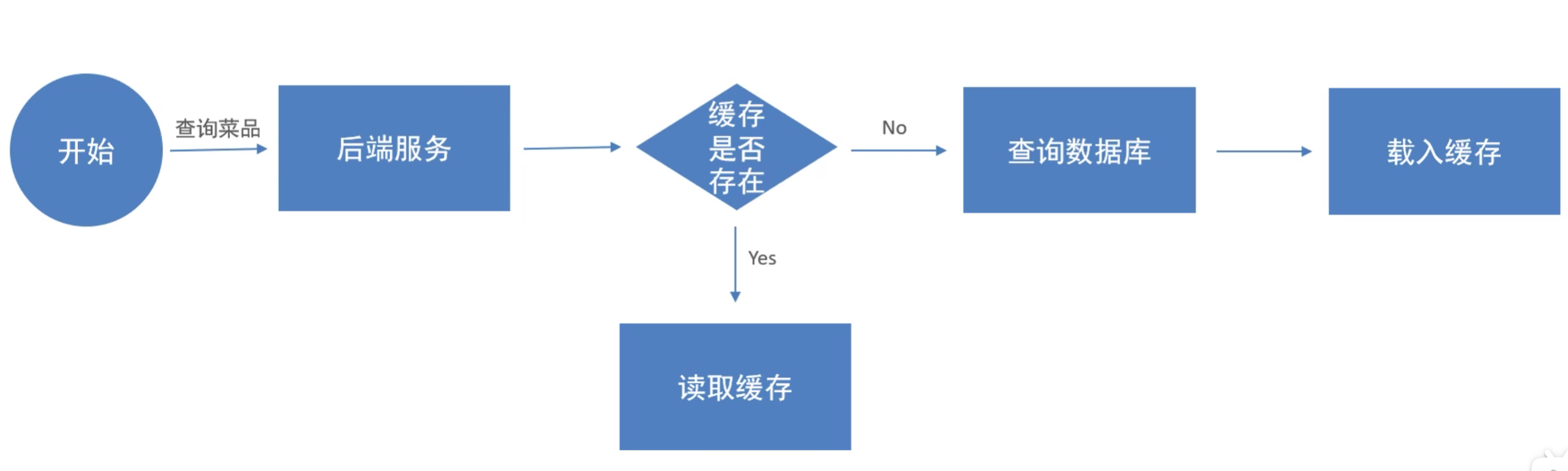
      缓存菜品实现思路
  • 缓存逻辑分析:
    • 每个分类下的菜品保存一份缓存数据
    • 数据库中菜品数据有变更时清理缓存数据

1.2 缓存菜品——代码实现

1.2.1 user/DishController(添加缓存)

1
2
3
4
5
6
7
8
9
10
11
12
13
14
15
16
17
18
19
20
21
22
23
24
25
26
27
28
29
30
31
32
33
34
35
36
37
38
39
40
41
@RestController("userDishController")
@RequestMapping("/user/dish")
@Slf4j
@Api(tags = "C端-菜品浏览接口")
public class DishController {
@Autowired
private DishService dishService;
@Autowired
private RedisTemplate redisTemplate;

/**
* 根据分类id查询菜品
*
* @param categoryId
* @return
*/
@GetMapping("/list")
@ApiOperation("根据分类id查询菜品")
public Result<List<DishVO>> list(Long categoryId) {

// 构造key,格式为dish_{id}
String key = "dish_" + categoryId;

// 查询redis,如果存在则直接返回
List<DishVO> list = (List<DishVO>) redisTemplate.opsForValue().get(key);
if (list != null && list.size() >= 0) {
return Result.success(list);
}

// 如果不存在则查询数据库,并将结果存储到redis中
Dish dish = new Dish();
dish.setCategoryId(categoryId);
dish.setStatus(StatusConstant.ENABLE);//查询起售中的菜品

list = dishService.listWithFlavor(dish);
redisTemplate.opsForValue().set(key, list);

return Result.success(list);
}

}

1.2.2 admin/DishController(清理缓存)

1
2
3
4
5
6
7
8
9
10
11
12
13
14
15
16
17
18
19
20
21
22
23
24
25
26
27
28
29
30
31
32
33
34
35
36
37
38
39
40
41
42
43
44
45
46
47
48
49
50
51
52
53
54
55
56
57
58
59
60
61
62
63
64
65
66
67
68
69
70
71
72
73
74
75
76
77
78
79
80
81
82
83
84
85
86
87
88
89
90
91
92
93
94
95
96
97
98
99
100
101
102
103
104
105
106
107
108
109
110
111
112
113
114
115
116
117
118
119
120
121
122
123
@Slf4j
@RestController
@RequestMapping("/admin/dish")
@Api(tags = "菜品相关接口")
public class DishController {

@Autowired
private DishService dishService;
@Autowired
private RedisTemplate redisTemplate;

/**
* 新增菜品
* @param dishDTO
* @return
*/
@PostMapping()
@ApiOperation("新增菜品")
public Result save(@RequestBody DishDTO dishDTO){
log.info("新增菜品:{}",dishDTO);
dishService.saveWithFlavor(dishDTO);

// 清理redis中的缓存
String key = "dish_" + dishDTO.getCategoryId();
cleanCache(key);
return Result.success();
}

/**
* 菜品分页查询
* @param dishPageQueryDTO
* @return
*/
@GetMapping("/page")
@ApiOperation("菜品分页查询")
private Result<PageResult> page(DishPageQueryDTO dishPageQueryDTO) {
log.info("菜品分页查询:{}",dishPageQueryDTO);
PageResult pageResult = dishService.pageQuery(dishPageQueryDTO);
return Result.success(pageResult);
}

/**
* 删除菜品
* @param ids
* @return
*/
@DeleteMapping
@ApiOperation("删除菜品")
public Result delete(@RequestParam List<Long> ids) {
log.info("删除菜品:{}",ids);
dishService.deleteById(ids);

// 清理缓存
cleanCache("dish_*");
return Result.success();
}

/**
* 根据id查询菜品信息
*/
@GetMapping("/{id}")
@ApiOperation("查询菜品")
public Result<DishVO> getById(@PathVariable Long id) {
log.info("根据id查询菜品:{}",id);
DishVO dishVO = dishService.getByIdWithFlavor(id);
return Result.success(dishVO);
}

/**
* 修改菜品
* @param dishDTO
* @return
*/
@PutMapping
@ApiOperation("修改菜品")
public Result update(@RequestBody DishDTO dishDTO) {
log.info("修改菜品:{}",dishDTO);
dishService.updateWithFlavor(dishDTO);

// 清理缓存
cleanCache("dish_*");
return Result.success();
}

/**
* 根据分类id查询菜品信息
* @param categoryId
* @return
*/
@GetMapping("/list")
@ApiOperation("根据分类id查询菜品")
public Result<List<Dish>> list(Long categoryId) {
log.info("根据分类id查询菜品:{}",categoryId);
List<Dish> list = dishService.list(categoryId);
return Result.success(list);
}

/**
* 菜品起售停售
* @param status
* @param id
* @return
*/
@PostMapping("/status/{status}")
@ApiOperation("菜品起售停售")
public Result<String> startOrStop(@PathVariable Integer status, Long id){
dishService.startOrStop(status,id);

// 清理缓存
cleanCache("dish_*");
return Result.success();
}

/**
* 根据pattern清除缓存
* @param pattern
*/
private void cleanCache(String pattern) {
Set keys = redisTemplate.keys(pattern);
redisTemplate.delete(keys);
}

}

1.3 缓存菜品——功能测试

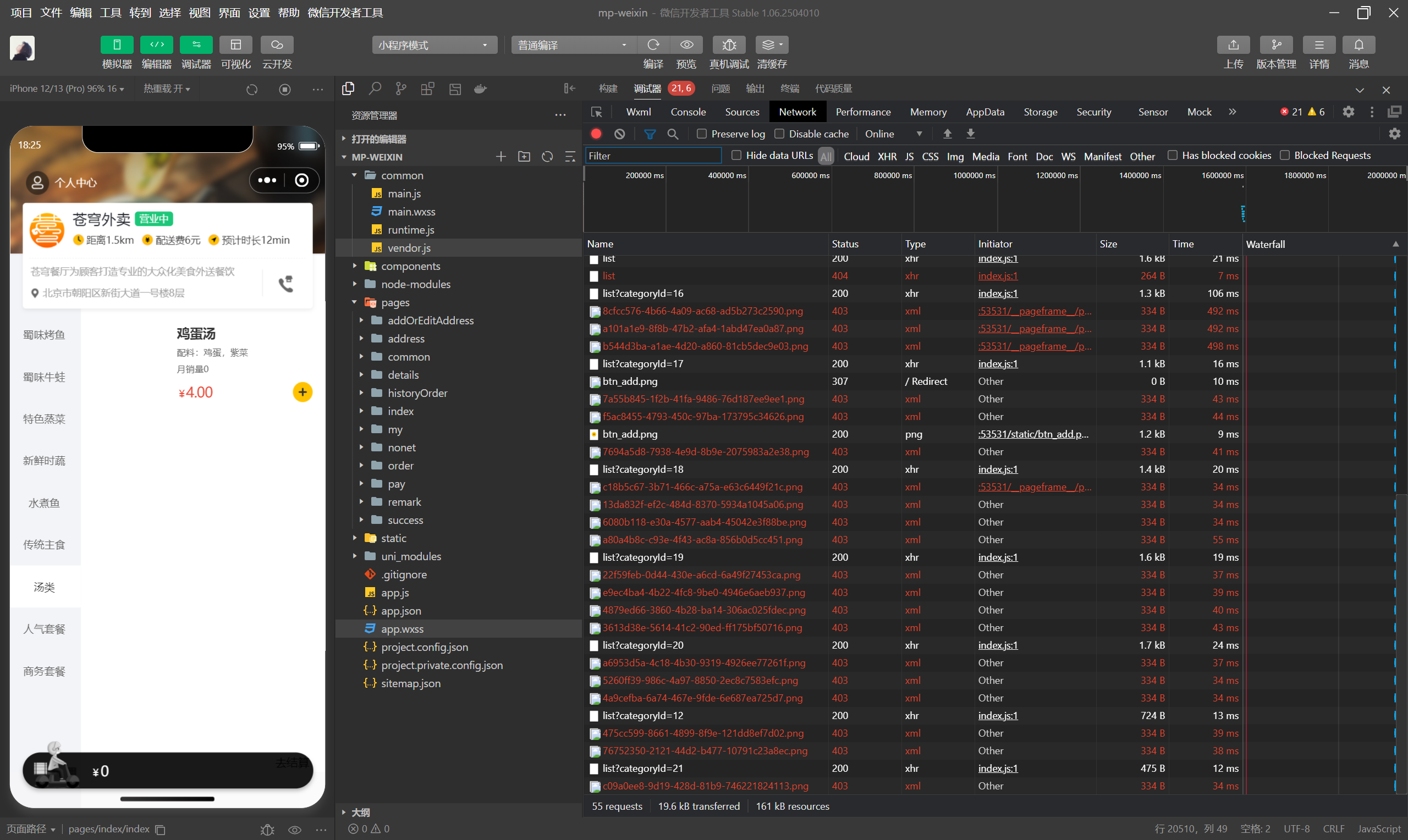
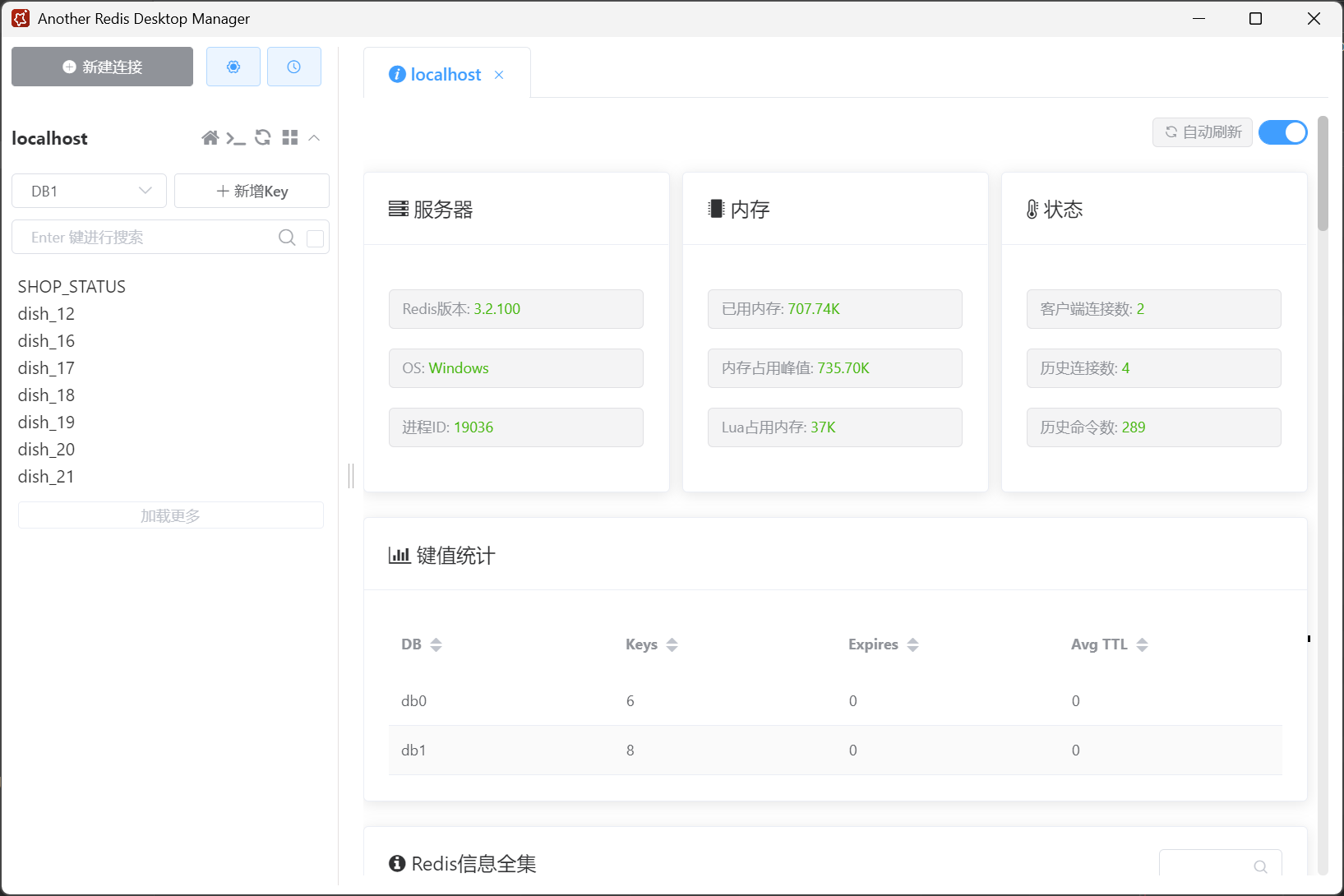
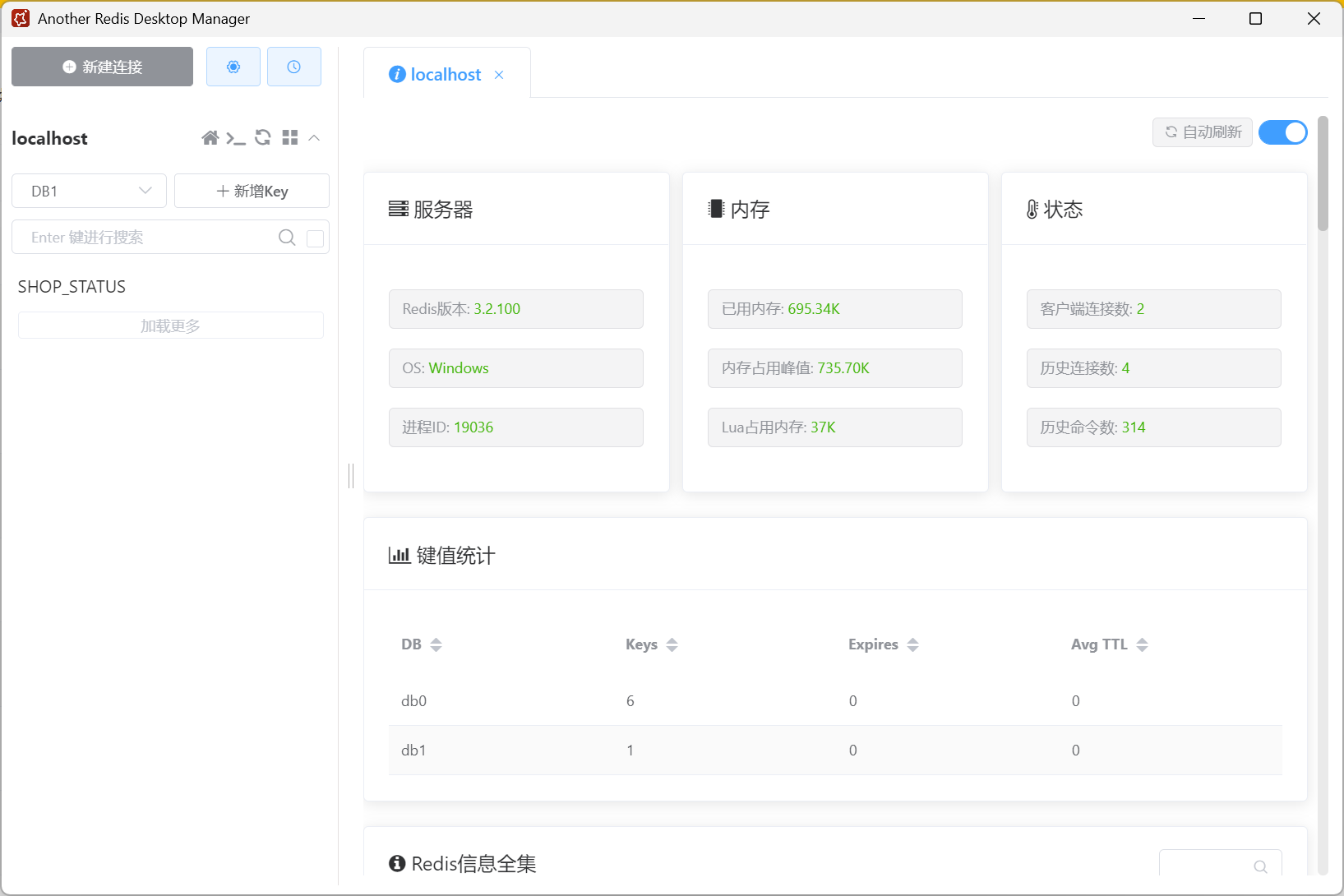
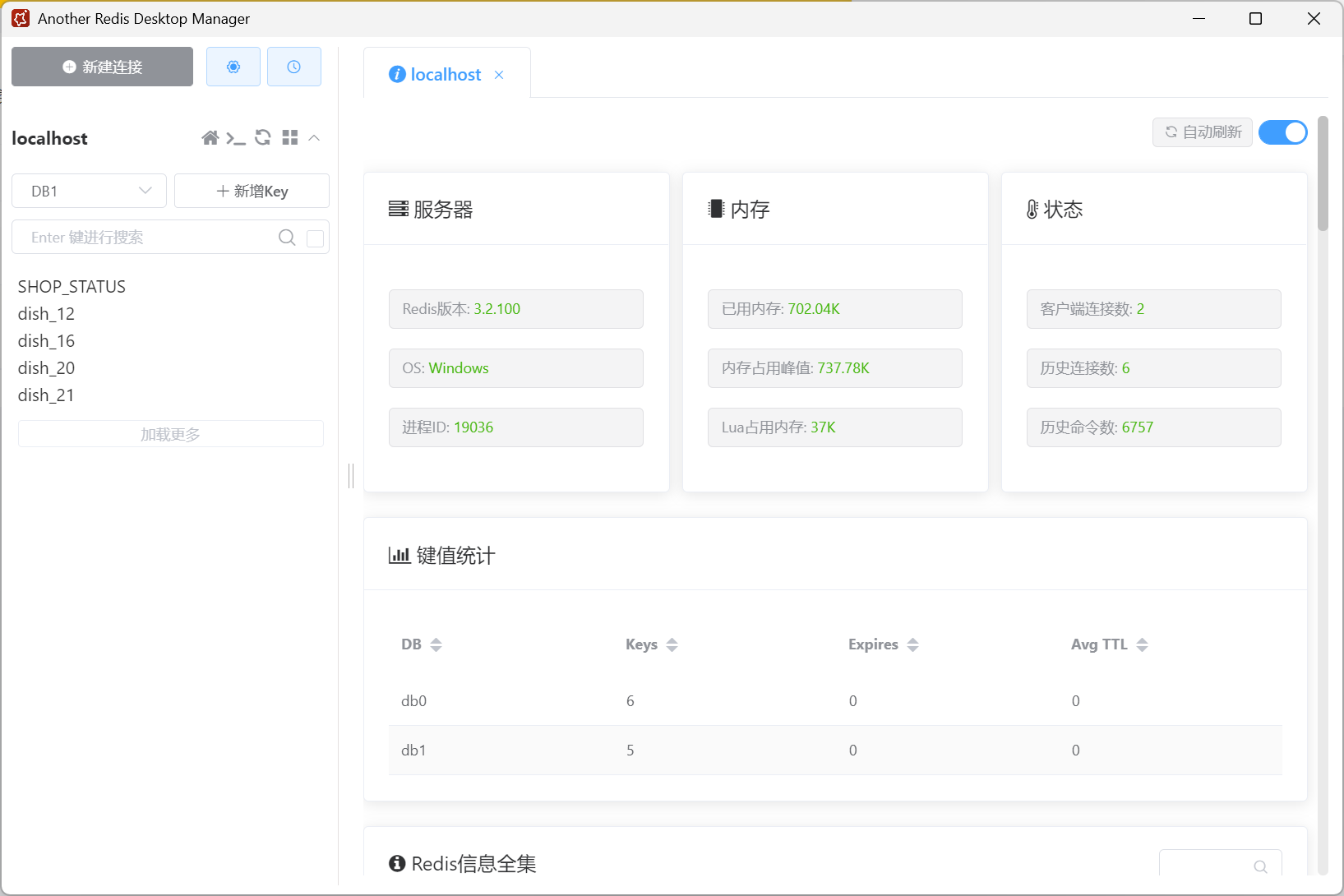
  • 添加缓存
    添加缓存1
    添加缓存2
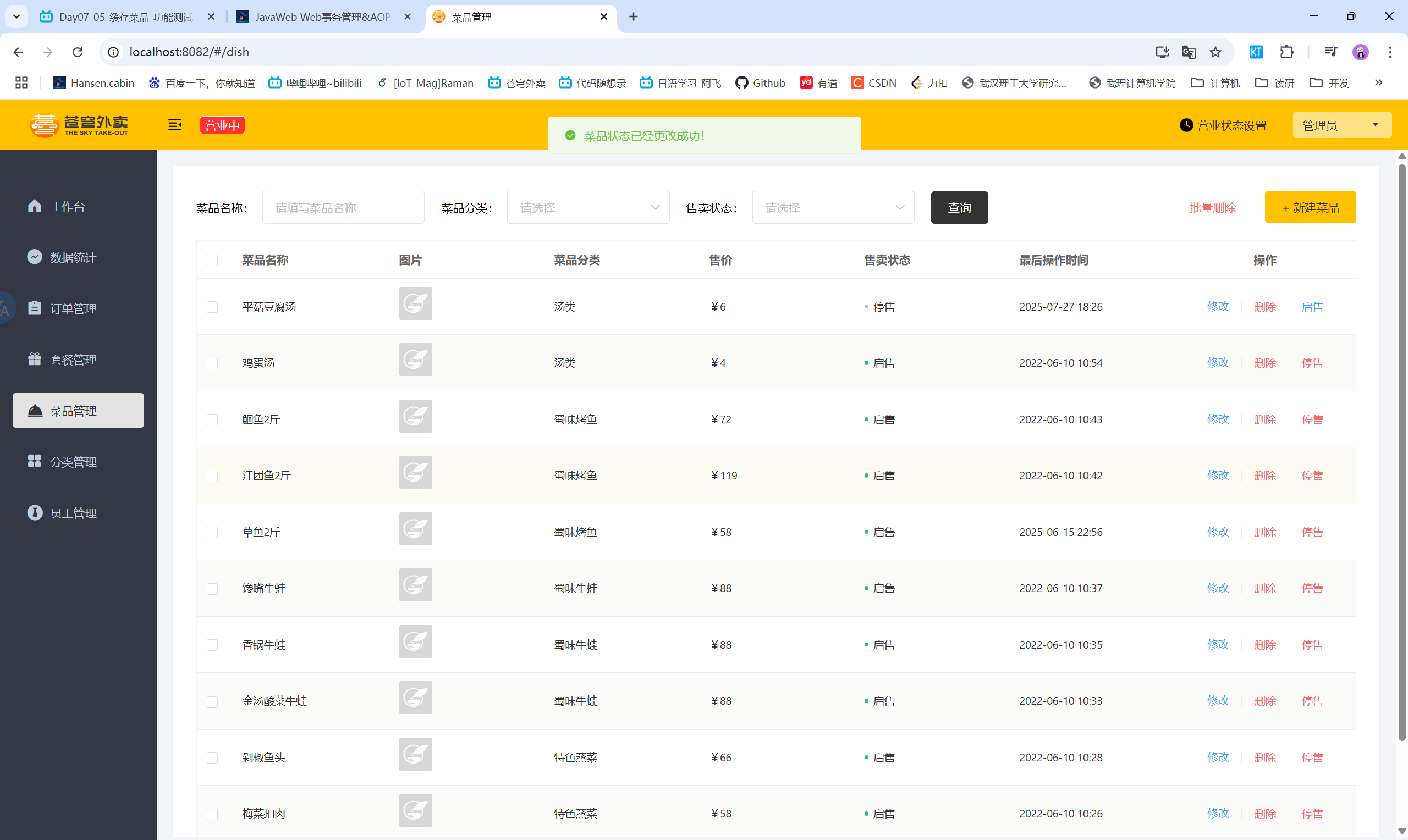
  • 清理缓存
    清理缓存1
    清理缓存2

二、缓存套餐

2.1 Spring Cache

  • Spring Cache是一个框架,实现了基于注解的缓存功能,只需要简单的加一个注解就能实现缓存功能
  • Spring Cache提供了一层抽象,底层可以切换不同的缓存实现,如:
    • Ehcache
    • Caffeine
    • Redis
  • Maven依赖:
    1
    2
    3
    4
    5
    <dependency>
    <groupId>org.springframework.boot</groupId>
    <artifactId>spring-boot-starter-cache</artifactId>
    <version>2.7.3</version>
    </dependency>
  • 常用注解
    • @EnableCaching:开启缓存注解功能,通常在启动类上使用
    • @Cacheable:在方法执行前先查询缓存中是否有数据,如果有数据则直接返回缓存数据;如果没有缓存数据,则调用方法并将方法返回值放到缓存中
      • value:缓存的名称
      • key:缓存的键,可以使用SpEL表达式
      • condition:条件表达式,只有满足条件时才会缓存
      • unless:条件表达式,只有不满足条件时才会缓存
    • @CachePut:将方法的返回值放到缓存中
    • @CacheEvict:将一条或多条数据从缓存中删除
      • allEntries:是否删除所有缓存数据
      • key:缓存的键,可以使用SpEL表达式
      • condition:条件表达式,只有满足条件时才会删除缓存

2.2 缓存套餐——功能开发

  • 实现思路:
    • 导入Spring Cache和Redis的相关maven坐标
    • 在启动类上添加@EnableCaching注解开启缓存功能
    • 在用户端接口SetmealController的list方法上添加@Cacheable注解
    • 在管理员端接口SetmealController的save、update、delete、startOrStop等方法上添加@CacheEvict注解

2.3 缓存套餐——代码实现

2.3.1 SkyApplication

1
2
3
4
5
6
7
8
9
10
@SpringBootApplication
@EnableTransactionManagement //开启注解方式的事务管理
@Slf4j
@EnableCaching
public class SkyApplication {
public static void main(String[] args) {
SpringApplication.run(SkyApplication.class, args);
log.info("server started");
}
}

2.3.2 user/SetmealController

1
2
3
4
5
6
7
8
9
10
11
12
13
14
15
16
17
18
19
20
21
22
23
24
25
26
27
28
29
30
31
32
33
34
35
36
37
38
@RestController("userSetmealController")
@RequestMapping("/user/setmeal")
@Api(tags = "C端-套餐浏览接口")
public class SetmealController {
@Autowired
private SetmealService setmealService;

/**
* 条件查询
*
* @param categoryId
* @return
*/
@GetMapping("/list")
@ApiOperation("根据分类id查询套餐")
@Cacheable(cacheNames = "setmealCache", key = "#categoryId")
public Result<List<Setmeal>> list(Long categoryId) {
Setmeal setmeal = new Setmeal();
setmeal.setCategoryId(categoryId);
setmeal.setStatus(StatusConstant.ENABLE);

List<Setmeal> list = setmealService.list(setmeal);
return Result.success(list);
}

/**
* 根据套餐id查询包含的菜品列表
*
* @param id
* @return
*/
@GetMapping("/dish/{id}")
@ApiOperation("根据套餐id查询包含的菜品列表")
public Result<List<DishItemVO>> dishList(@PathVariable("id") Long id) {
List<DishItemVO> list = setmealService.getDishItemById(id);
return Result.success(list);
}
}

2.3.3 admin/SetmealController

1
2
3
4
5
6
7
8
9
10
11
12
13
14
15
16
17
18
19
20
21
22
23
24
25
26
27
28
29
30
31
32
33
34
35
36
37
38
39
40
41
42
43
44
45
46
47
48
49
50
51
52
53
54
55
56
57
58
59
60
61
62
63
64
65
66
67
68
69
70
71
72
73
74
75
76
77
78
79
80
81
82
83
84
85
86
87
88
89
90
91
92
93
94
/**
* 套餐管理
*/
@RestController
@RequestMapping("/admin/setmeal")
@Api(tags = "套餐相关接口")
@Slf4j
public class SetmealController {

@Autowired
private SetmealService setmealService;

/**
* 新增套餐
* @param setmealDTO
* @return
*/
@PostMapping
@ApiOperation("新增套餐")
@CacheEvict(cacheNames = "setmealCache", key = "#setmealDTO.categoryId")
public Result save(@RequestBody SetmealDTO setmealDTO) {
log.info("新增套餐:{}", setmealDTO);
setmealService.saveWithDish(setmealDTO);
return Result.success();
}

/**
* 套餐分页查询
* @param setmealPageQueryDTO
* @return
*/
@GetMapping("/page")
@ApiOperation("套餐分页查询")
public Result<PageResult> page(SetmealPageQueryDTO setmealPageQueryDTO) {
log.info("套餐分页查询:{}", setmealPageQueryDTO);
PageResult pageResult = setmealService.pageQuery(setmealPageQueryDTO);
return Result.success(pageResult);
}

/**
* 删除套餐
* @param ids
* @return
*/
@DeleteMapping
@ApiOperation("删除套餐")
@CacheEvict(cacheNames = "setmealCache", allEntries = true)
public Result delete(@RequestParam List<Long> ids) {
log.info("删除套餐:{}", ids);
setmealService.deleteBatch(ids);
return Result.success();
}

/**
* 根据id查询套餐
* @param id
* @return
*/
@GetMapping("/{id}")
@ApiOperation("根据id查询套餐")
public Result<SetmealVO> getById(@PathVariable Long id) {
log.info("根据id查询套餐:{}", id);
SetmealVO setmealVO = setmealService.getByIdWithDish(id);
return Result.success(setmealVO);
}

/**
* 修改套餐
* @param setmealDTO
* @return
*/
@PutMapping
@ApiOperation("修改套餐")
@CacheEvict(cacheNames = "setmealCache", allEntries = true)
public Result update(@RequestBody SetmealDTO setmealDTO) {
log.info("修改套餐:{}", setmealDTO);
setmealService.update(setmealDTO);
return Result.success();
}

/**
* 套餐起售停售
* @param status
* @param id
* @return
*/
@PostMapping("/status/{status}")
@ApiOperation("套餐起售停售")
@CacheEvict(cacheNames = "setmealCache", allEntries = true)
public Result startOrStop(@PathVariable Integer status, Long id) {
setmealService.startOrStop(status, id);
return Result.success();
}
}

2.4 缓存套餐——功能测试

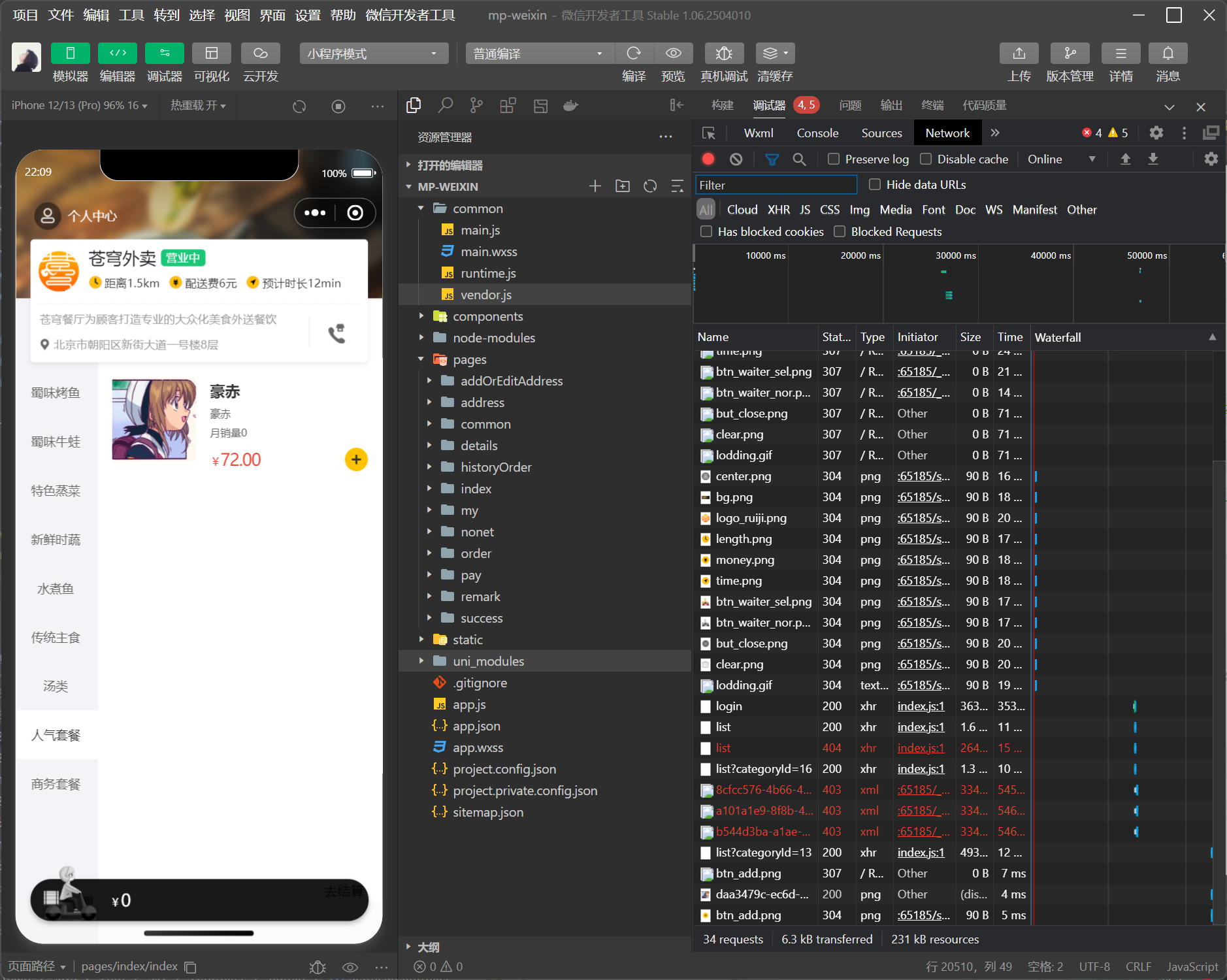
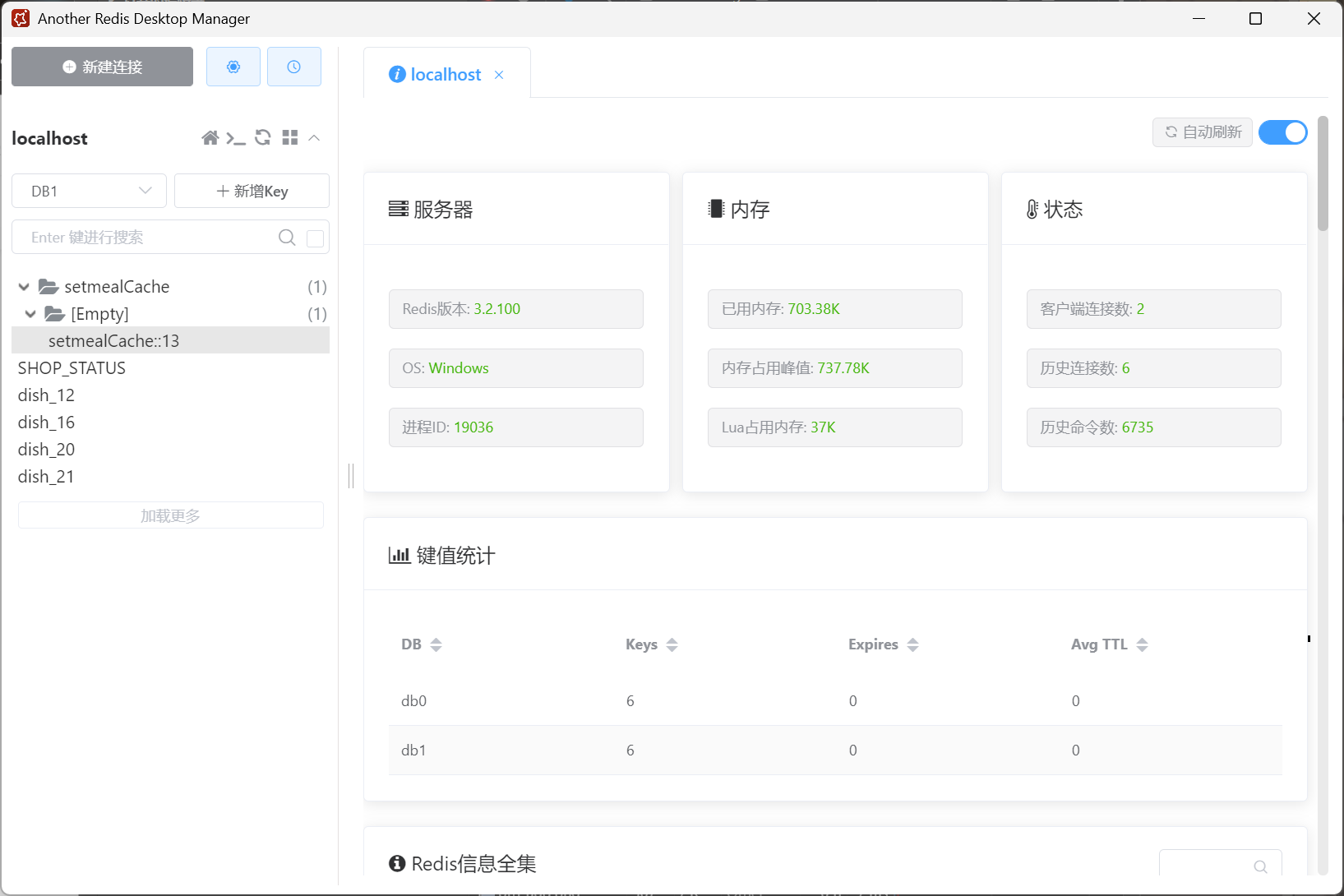
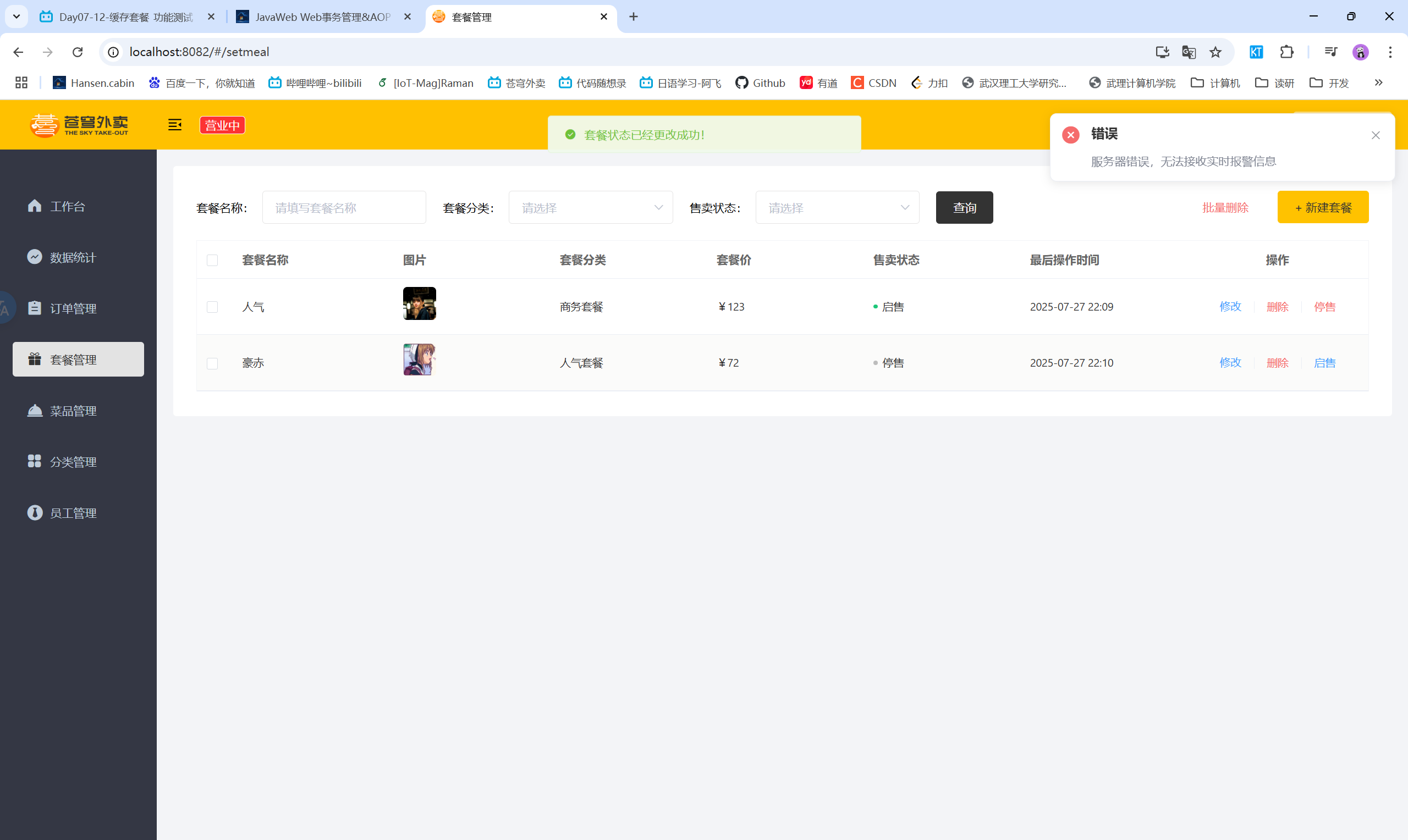
  • 添加套餐
    添加套餐1
    添加套餐2
  • 清理缓存
    清理缓存1
    清理缓存2

三、添加购物车

3.1 添加购物车——功能开发

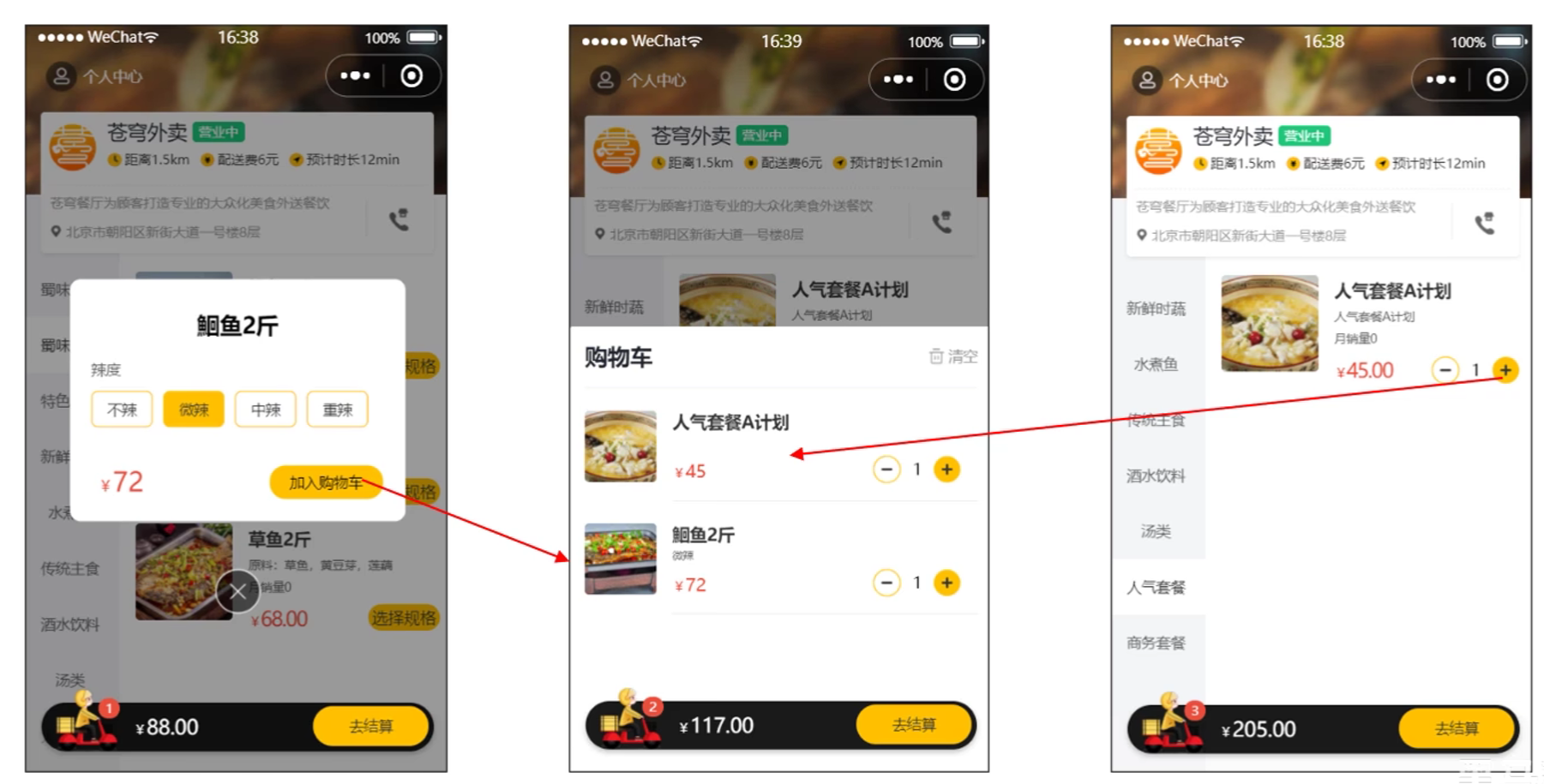
  • 产品原型
    添加购物车产品原型1
    添加购物车产品原型2
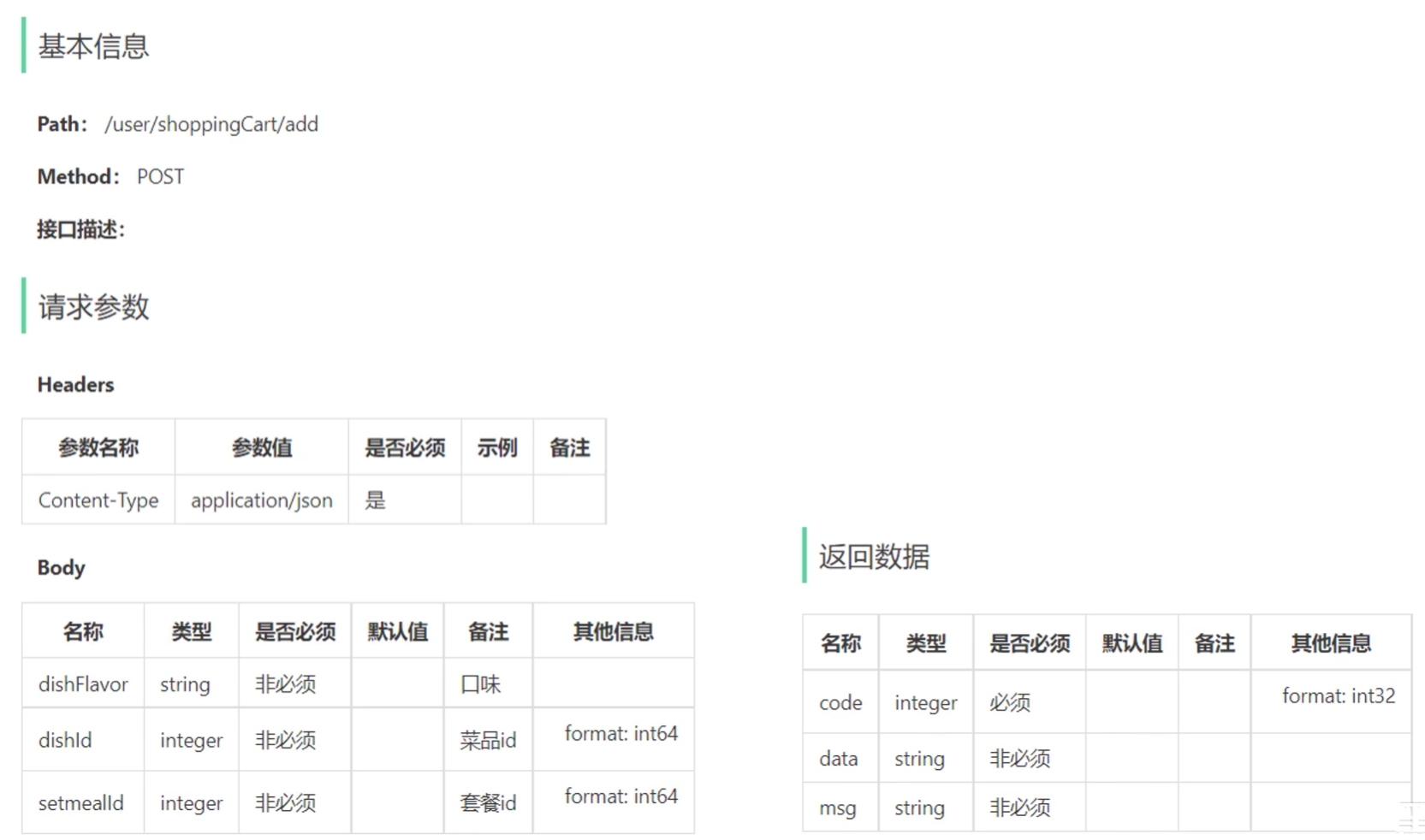
  • 接口设计
    • 请求方式:POST
    • 请求路径:/user/shoppingCart/add
    • 请求参数:套餐id、菜品id、口味
    • 返回结果:code、data、msg
      添加购物车接口设计
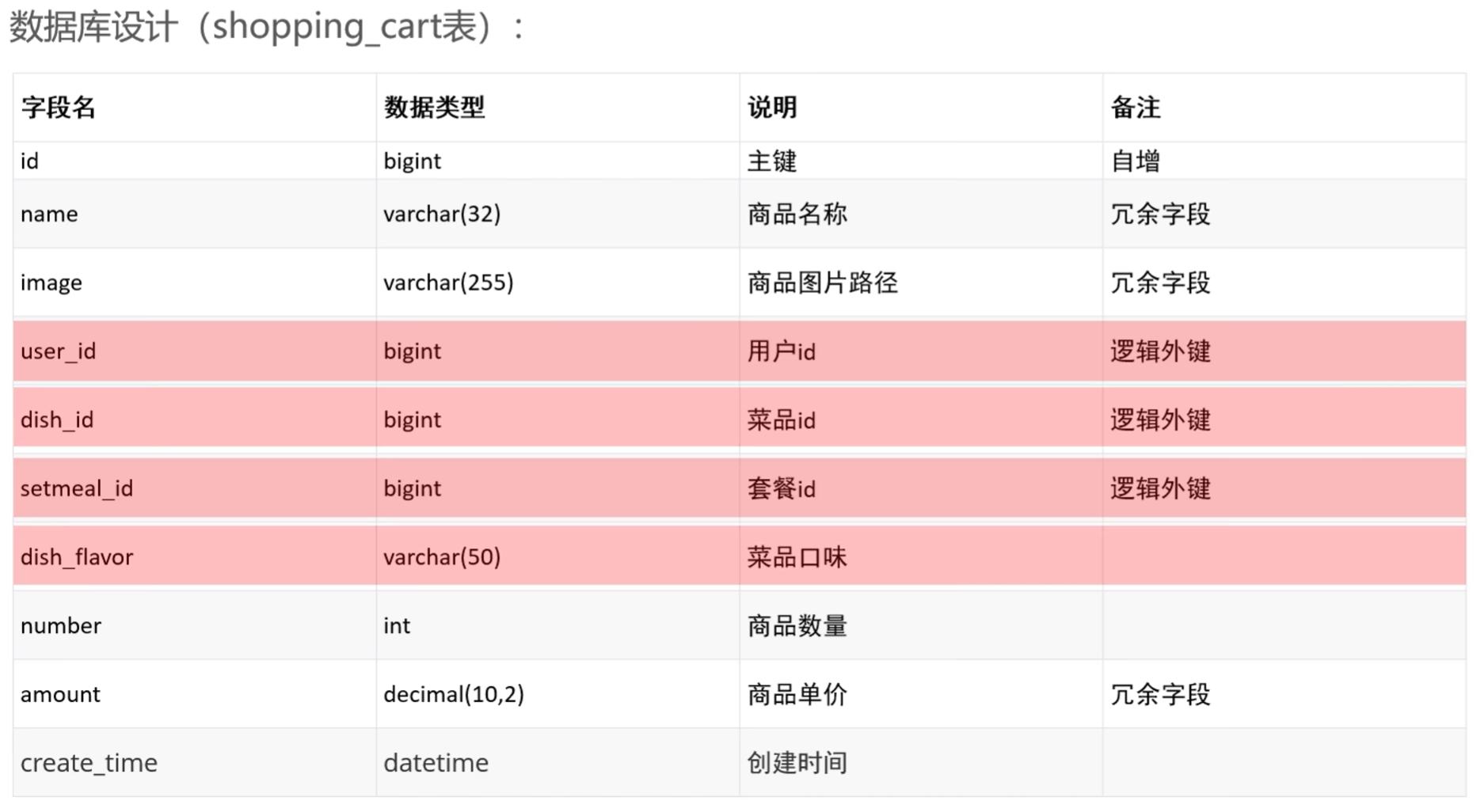
  • 数据库设计
    • 作用:暂时存放所选商品的地方
    • 选的什么商品
    • 每个商品买了几个
    • 不同用户的购物车需要分开
      购物车数据库设计

3.2 添加购物车——代码实现

3.2.1 ShoppingCartController

1
2
3
4
5
6
7
8
9
10
11
12
13
14
15
16
17
18
19
20
21
22
@RestController
@RequestMapping("/user/shoppingCart")
@Slf4j
@Api(tags = "购物车相关操作")
public class ShoppingCartController {

@Autowired
private ShoppingCartService shoppingCartService;

/**
* 添加购物车
* @param shoppingCartDTO
* @return
*/
@PostMapping("/add")
@ApiOperation("添加购物车")
public Result add(@RequestBody ShoppingCartDTO shoppingCartDTO) {
log.info("添加购物车,商品信息为:{}", shoppingCartDTO);
shoppingCartService.addShoppingCart(shoppingCartDTO);
return Result.success();
}
}

3.2.2 ShoppingCartService

1
2
3
4
5
6
7
8
public interface ShoppingCartService {

/**
* 添加购物车
* @param shoppingCartDTO
*/
public void addShoppingCart(ShoppingCartDTO shoppingCartDTO);
}

3.2.3 ShoppingCartServiceImpl

1
2
3
4
5
6
7
8
9
10
11
12
13
14
15
16
17
18
19
20
21
22
23
24
25
26
27
28
29
30
31
32
33
34
35
36
37
38
39
40
41
42
43
44
45
46
47
48
49
50
51
52
53
54
55
56
@Service
@Slf4j
public class ShoppingCartServieImpl implements ShoppingCartService {


@Autowired
private ShoppingCartMapper shoppingCartMapper;
@Autowired
private DishMapper dishMapper;
@Autowired
private SetmealMapper setmealMapper;

/**
* 添加购物车
* @param shoppingCartDTO
*/
@Override
public void addShoppingCart(ShoppingCartDTO shoppingCartDTO) {
// 判断当前加入购物车的商品是否存在
ShoppingCart shoppingCart = new ShoppingCart();
BeanUtils.copyProperties(shoppingCartDTO, shoppingCart);
Long userId = BaseContext.getCurrentId();
shoppingCart.setUserId(userId);

List<ShoppingCart> list = shoppingCartMapper.list(shoppingCart);

// 若已存在,则只需要数量+1
if (list != null && list.size() > 0) {
ShoppingCart cart = list.get(0);
cart.setNumber(cart.getNumber() + 1);
shoppingCartMapper.updateNumberById(cart);
}else {
// 若不存在,则需要插入一条数据
// 先判断本次添加到购物车的是菜品还是套餐
Long dishId = shoppingCartDTO.getDishId();
if (dishId != null) {
// 本次添加的是菜品
Dish dish = dishMapper.getById(dishId);
shoppingCart.setName(dish.getName());
shoppingCart.setImage(dish.getImage());
shoppingCart.setAmount(dish.getPrice());
}else {
// 否则就是套餐
Long setmealId = shoppingCartDTO.getSetmealId();
Setmeal setmeal = setmealMapper.getById(setmealId);
shoppingCart.setName(setmeal.getName());
shoppingCart.setImage(setmeal.getImage());
shoppingCart.setAmount(setmeal.getPrice());
}
shoppingCart.setNumber(1);
shoppingCart.setCreateTime(LocalDateTime.now());
shoppingCartMapper.insert(shoppingCart);
}

}
}

3.2.4 ShoppingCartMapper

1
2
3
4
5
6
7
8
9
10
11
12
13
14
15
16
17
18
19
20
21
22
23
24
25
@Mapper
public interface ShoppingCartMapper {

/**
* 动态条件查询
* @param shoppingCart
* @return
*/
List<ShoppingCart> list(ShoppingCart shoppingCart);

/**
* 根据id修改商品数量
* @param shoppingCart
*/
@Update("update shopping_cart set number = #{number} where id = #{id}")
void updateNumberById(ShoppingCart shoppingCart);

/**
* 添加菜品或套餐
* @param shoppingCart
*/
@Insert("insert into shopping_cart (name, image, user_id, dish_id, setmeal_id, dish_flavor, amount, create_time, number) " +
"values (#{name}, #{image}, #{userId}, #{dishId}, #{setmealId}, #{dishFlavor}, #{amount}, #{createTime}, #{number})")
void insert(ShoppingCart shoppingCart);
}

3.2.5 ShoppingCartMapper.xml

1
2
3
4
5
6
7
8
9
10
11
12
13
14
15
16
17
18
19
20
21
22
23
24
<?xml version="1.0" encoding="UTF-8" ?>
<!DOCTYPE mapper PUBLIC "-//mybatis.org//DTD Mapper 3.0//EN"
"http://mybatis.org/dtd/mybatis-3-mapper.dtd" >
<mapper namespace="com.sky.mapper.ShoppingCartMapper">


<select id="list" resultType="com.sky.entity.ShoppingCart">
select * from shopping_cart
<where>
<if test="userId != null">
and user_id = #{userId}
</if>
<if test="setmealId != null">
and setmeal_id = #{setmealId}
</if>
<if test="dishId != null">
and dish_id = #{dishId}
</if>
<if test="dishFlavor != null">
and dish_flavor = #{dishFlavor}
</if>
</where>
</select>
</mapper>

3.3 添加购物车——功能测试

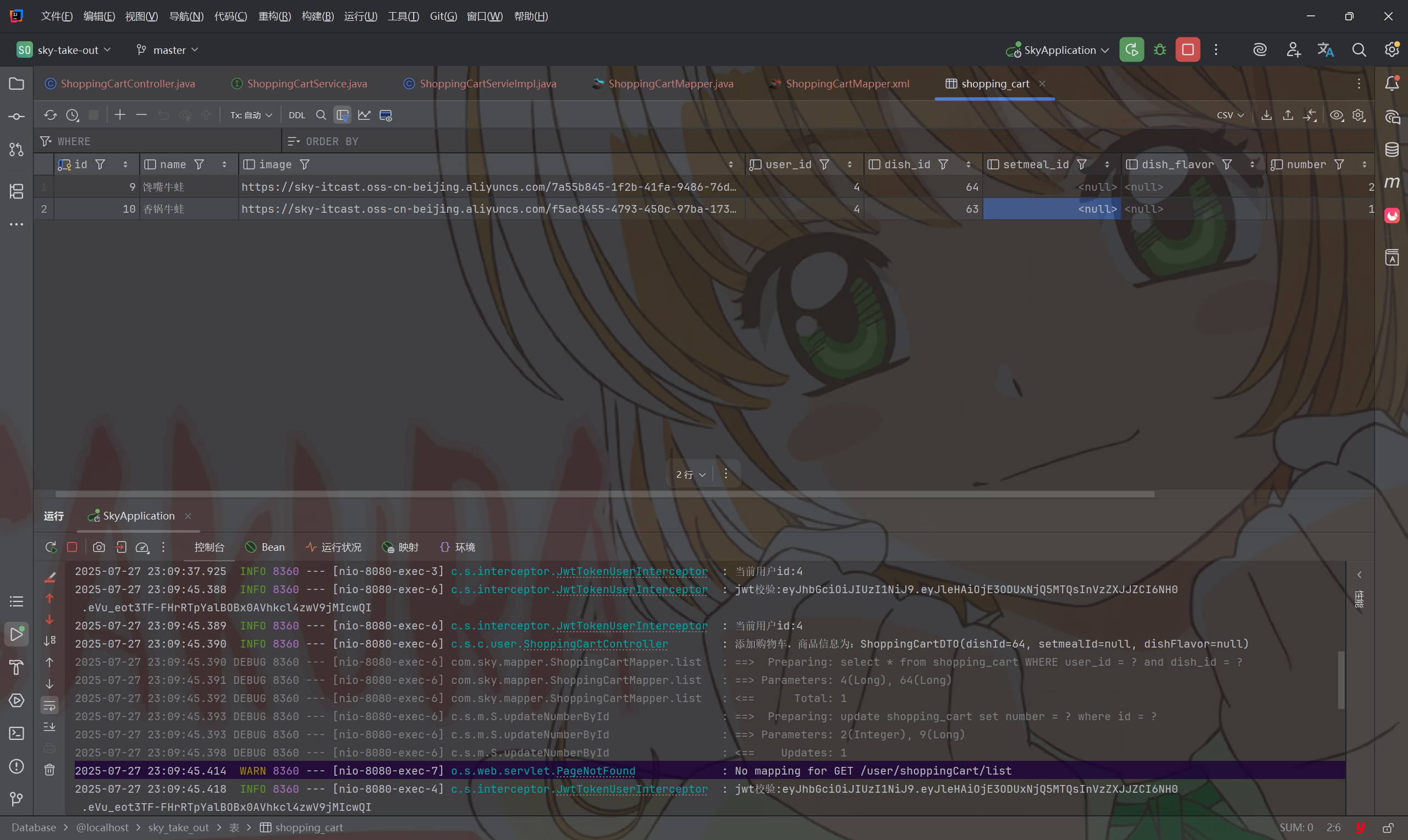
  • 添加购物车
    添加购物车功能测试

四、查看购物车

4.1 查看购物车——功能开发

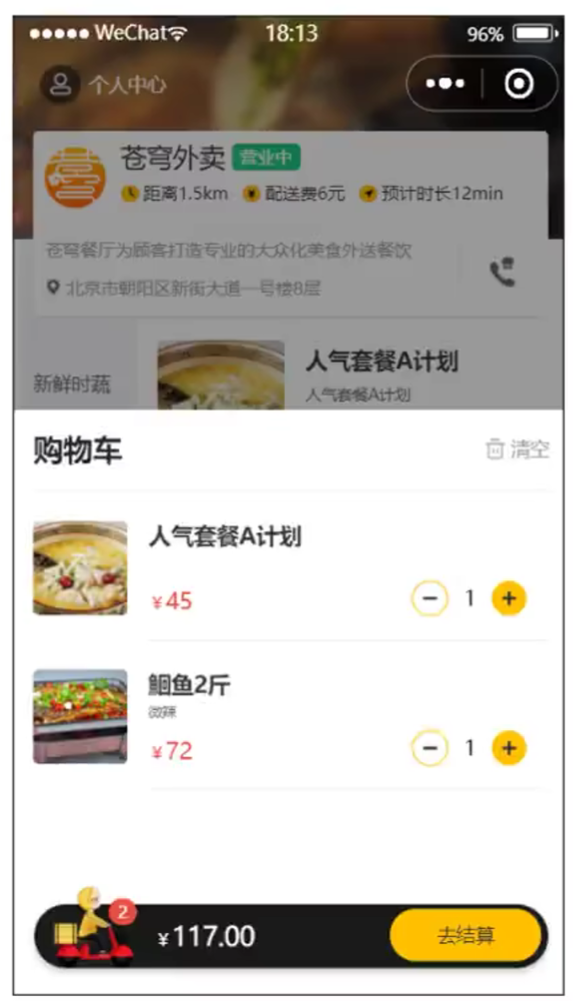
  • 产品原型
    查看购物车产品原型
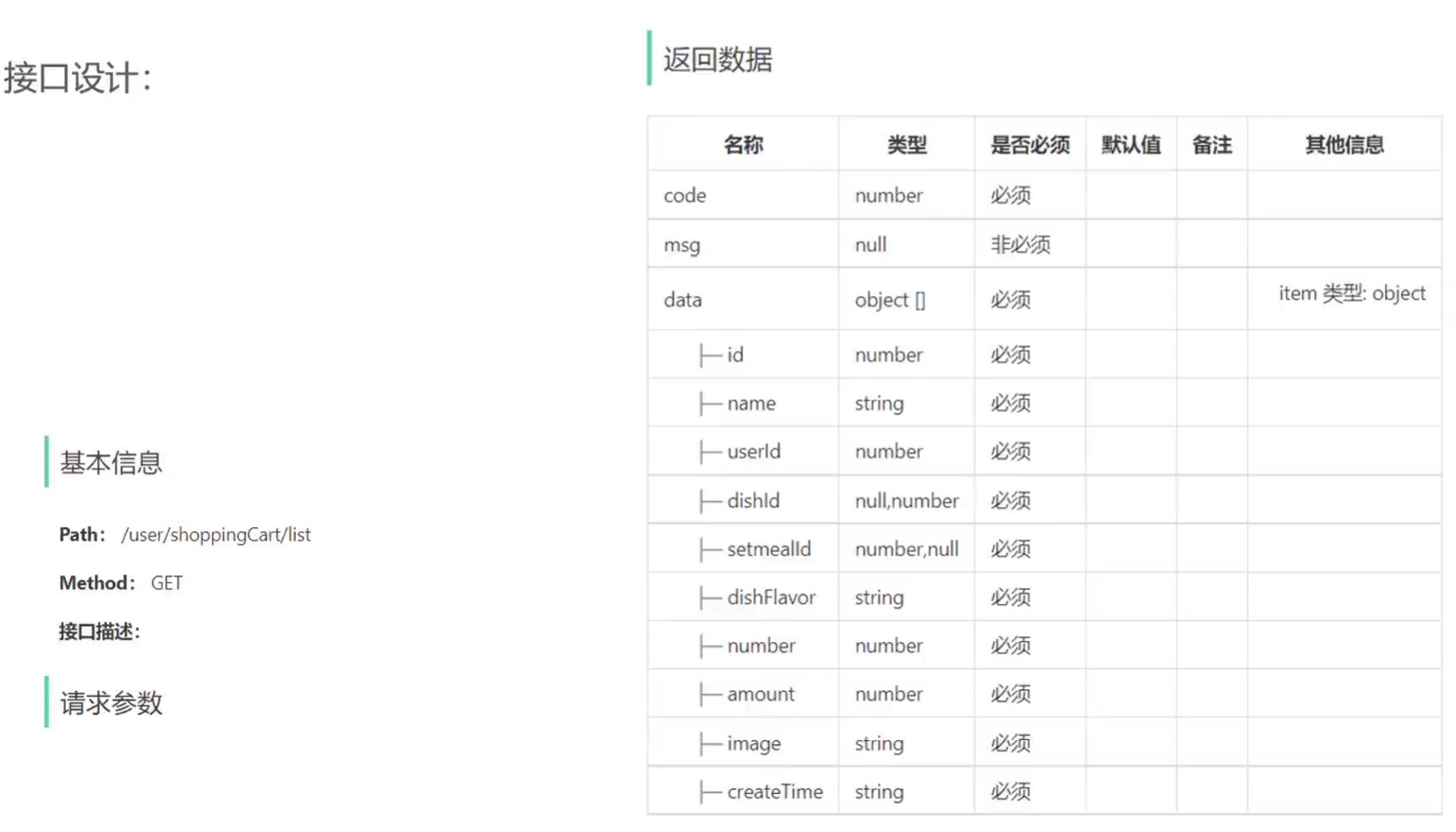
  • 接口设计
    查看购物车接口设计

4.2 查看购物车——代码实现

4.2.1 ShoppingCartController

1
2
3
4
5
6
7
8
9
10
/**
* 查看购物车
* @return
*/
@GetMapping("/list")
@ApiOperation("查看购物车")
public Result<List<ShoppingCart>> getAllShoppingCart() {
List<ShoppingCart> list = shoppingCartService.showShoppingCart();
return Result.success(list);
}

4.2.2 ShoppingCartService

1
2
3
4
5
/**
* 查看购物车
* @return
*/
List<ShoppingCart> showShoppingCart();

4.2.3 ShoppingCartServiceImpl

1
2
3
4
5
6
7
8
9
10
11
12
13
14
/**
* 查看购物车
* @return
*/
@Override
public List<ShoppingCart> showShoppingCart() {
// 获取当前用户id并根据id查询购物车
Long userId = BaseContext.getCurrentId();
ShoppingCart shoppingCart = ShoppingCart.builder()
.userId(userId)
.build();
List<ShoppingCart> list = shoppingCartMapper.list(shoppingCart);
return list;
}

4.3 查看购物车——功能测试

  • 查看购物车
    查看购物车功能测试

五、清空购物车

5.1 清空购物车——功能开发

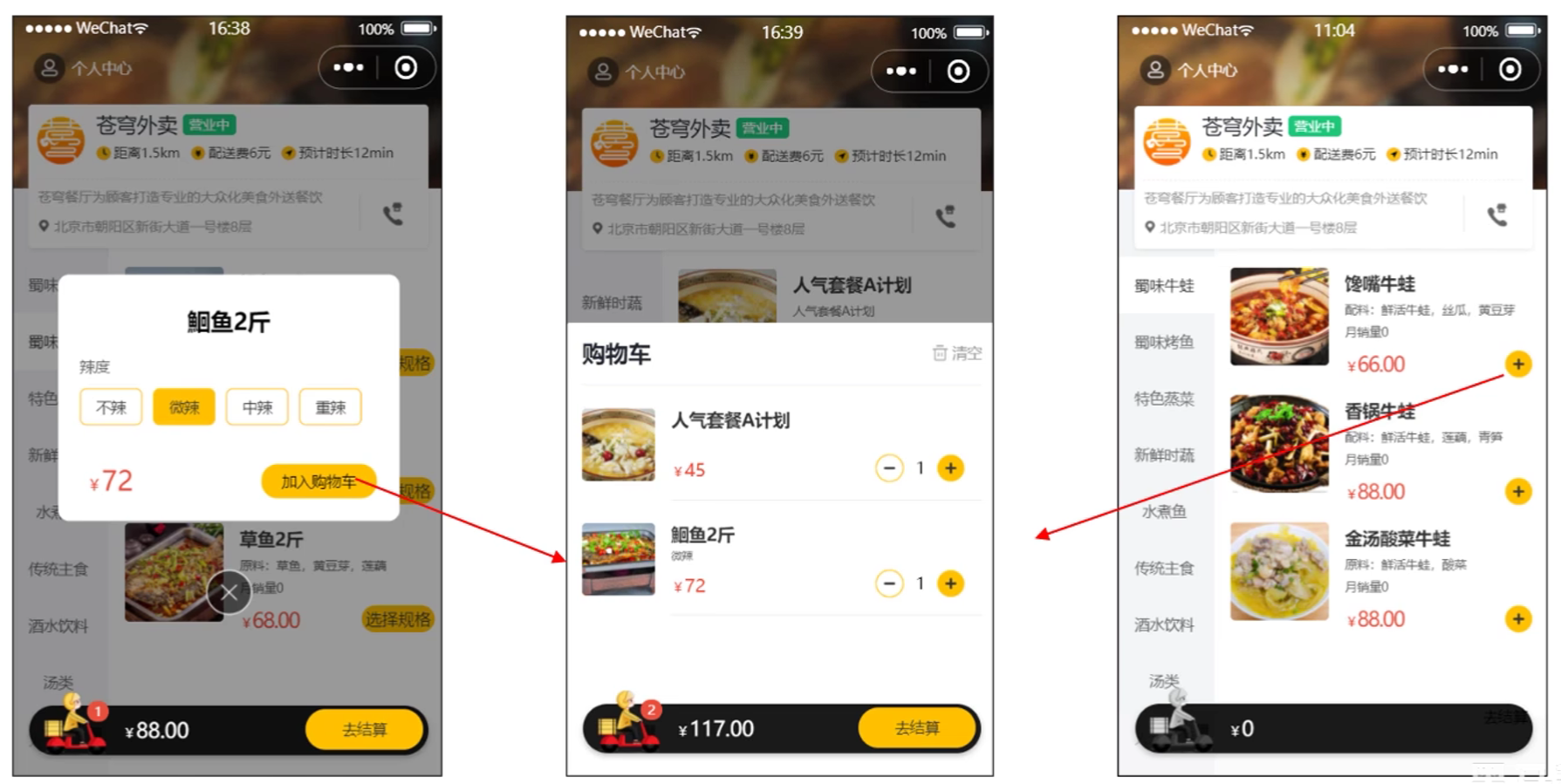
  • 产品原型
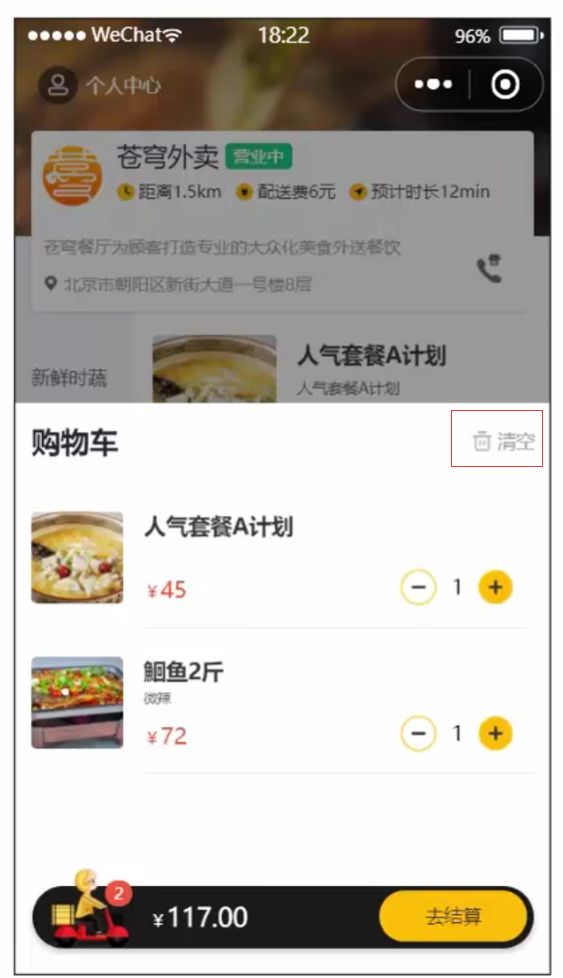
    清空购物车产品原型
  • 接口设计
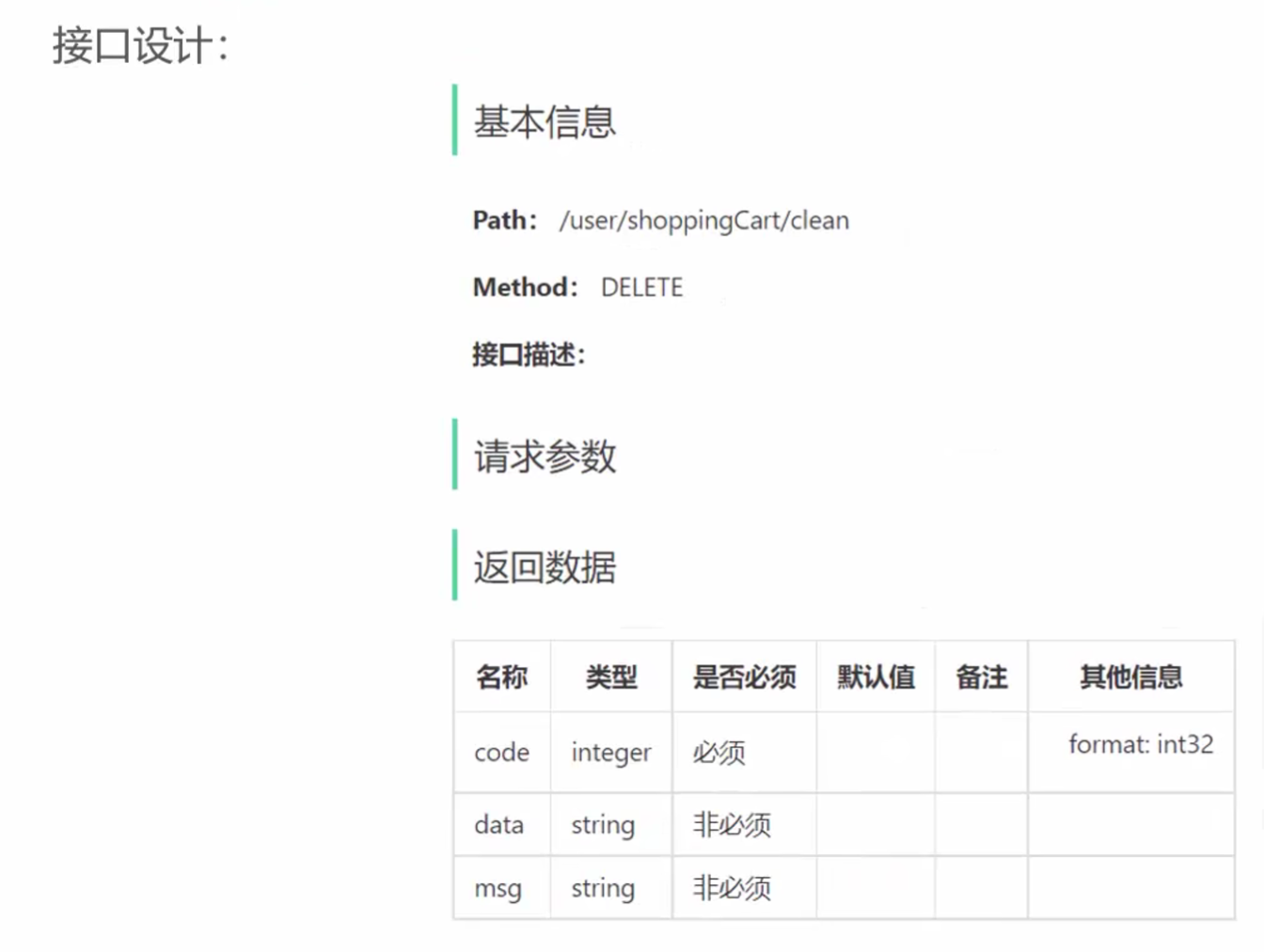
    清空购物车接口设计

5.2 清空购物车——代码实现

5.2.1 ShoppingCartController

1
2
3
4
5
6
7
8
9
10
/**
* 清空购物车
* @return
*/
@GetMapping("/clean")
@ApiOperation("清空购物车")
public Result clean() {
shoppingCartService.cleanShoppingCart();
return Result.success();
}

5.2.2 ShoppingCartService

1
2
3
4
/**
* 清空购物车
*/
void cleanShoppingCart();

5.2.3 ShoppingCartServiceImpl

1
2
3
4
5
6
7
8
9
/**
* 清空购物车
*/
@Override
public void cleanShoppingCart() {
// 获取当前用户id并根据id查询购物车
Long userId = BaseContext.getCurrentId();
shoppingCartMapper.deleteByUserId(userId);
}

5.2.4 ShoppingCartMapper

1
2
3
4
5
/**
* 清空购物车
*/
@Delete("delete from shopping_cart where user_id = #{userId}")
void deleteByUserId(Long userId);

5.3 清空购物车——功能测试

  • 清空购物车
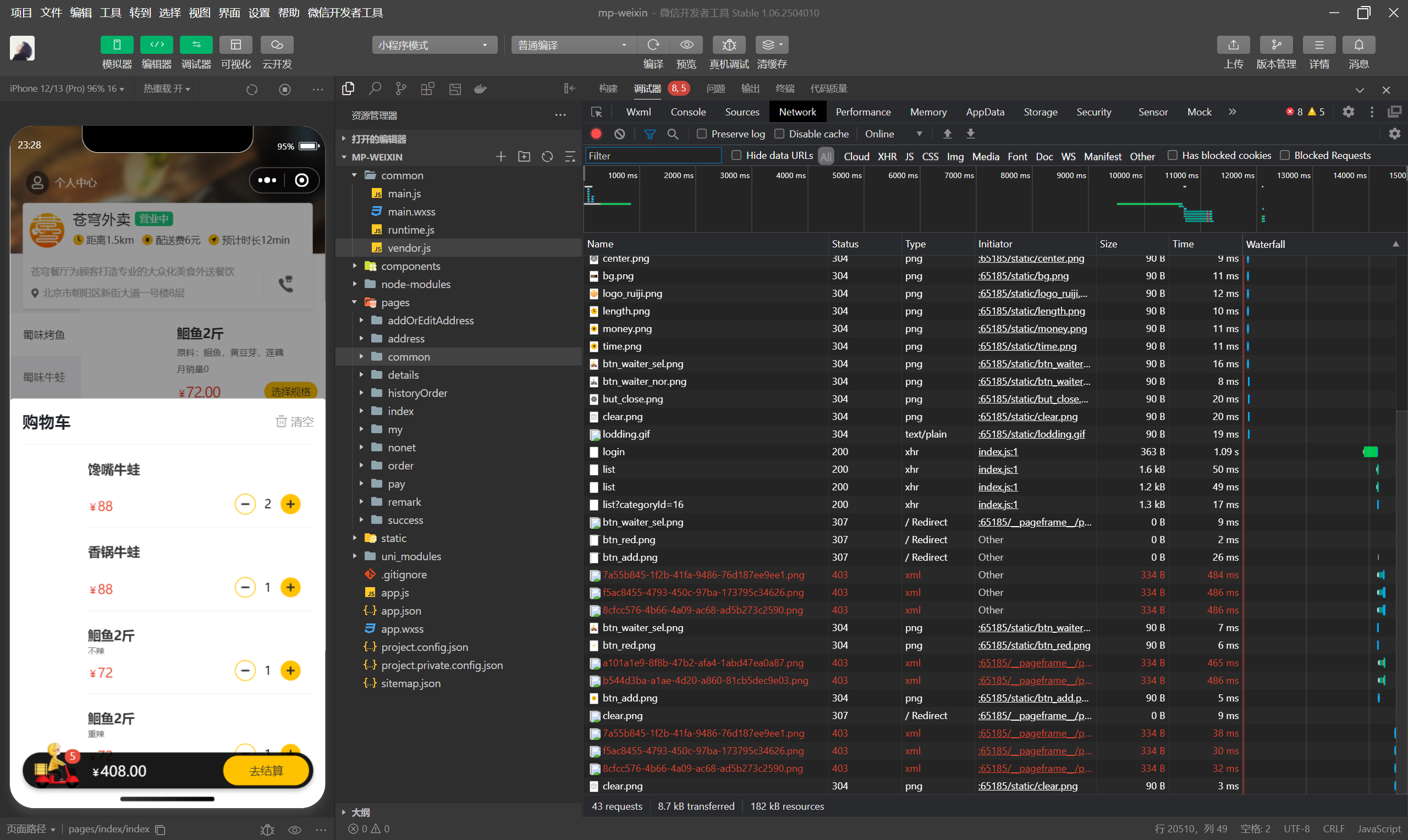
    清空购物车功能测试1
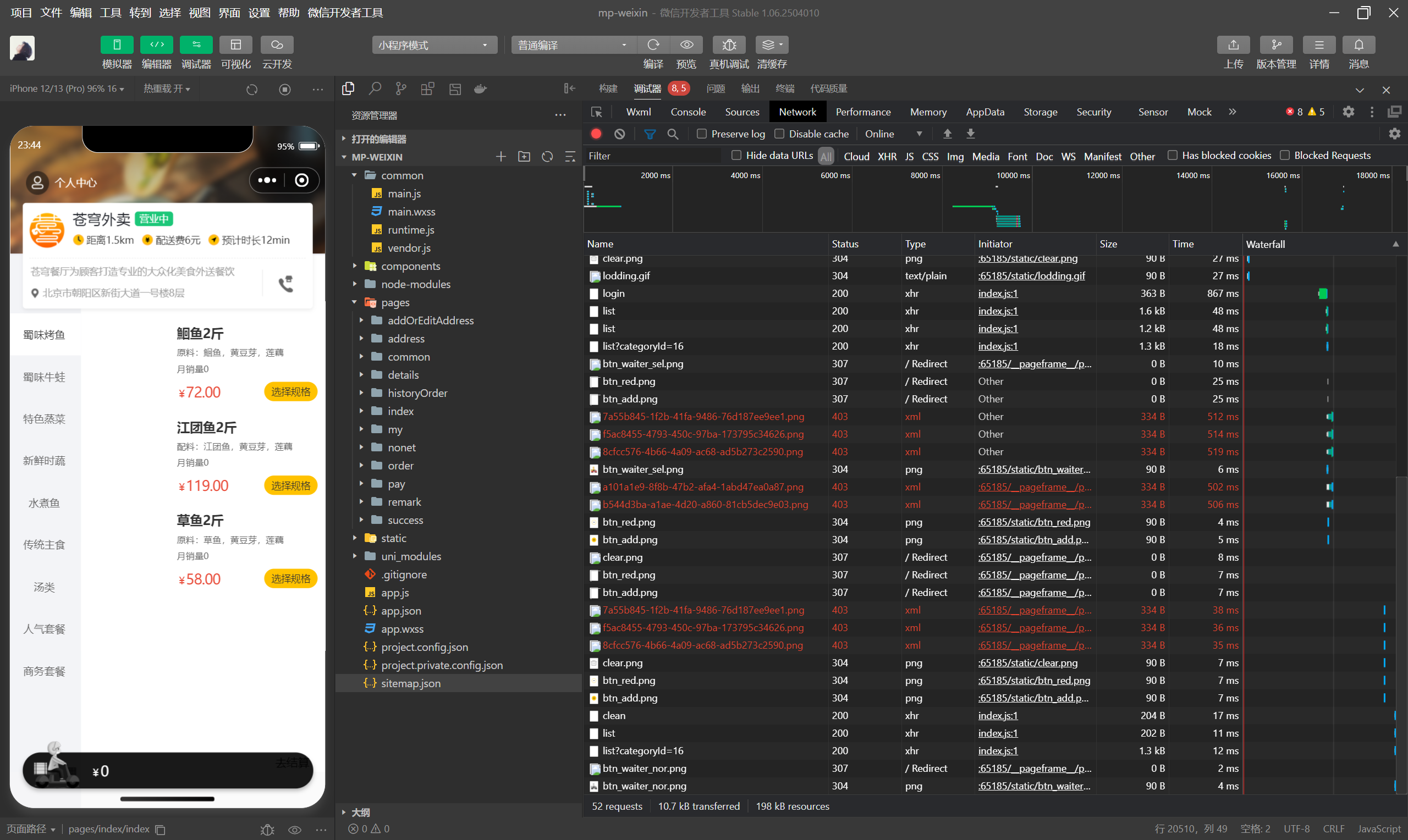
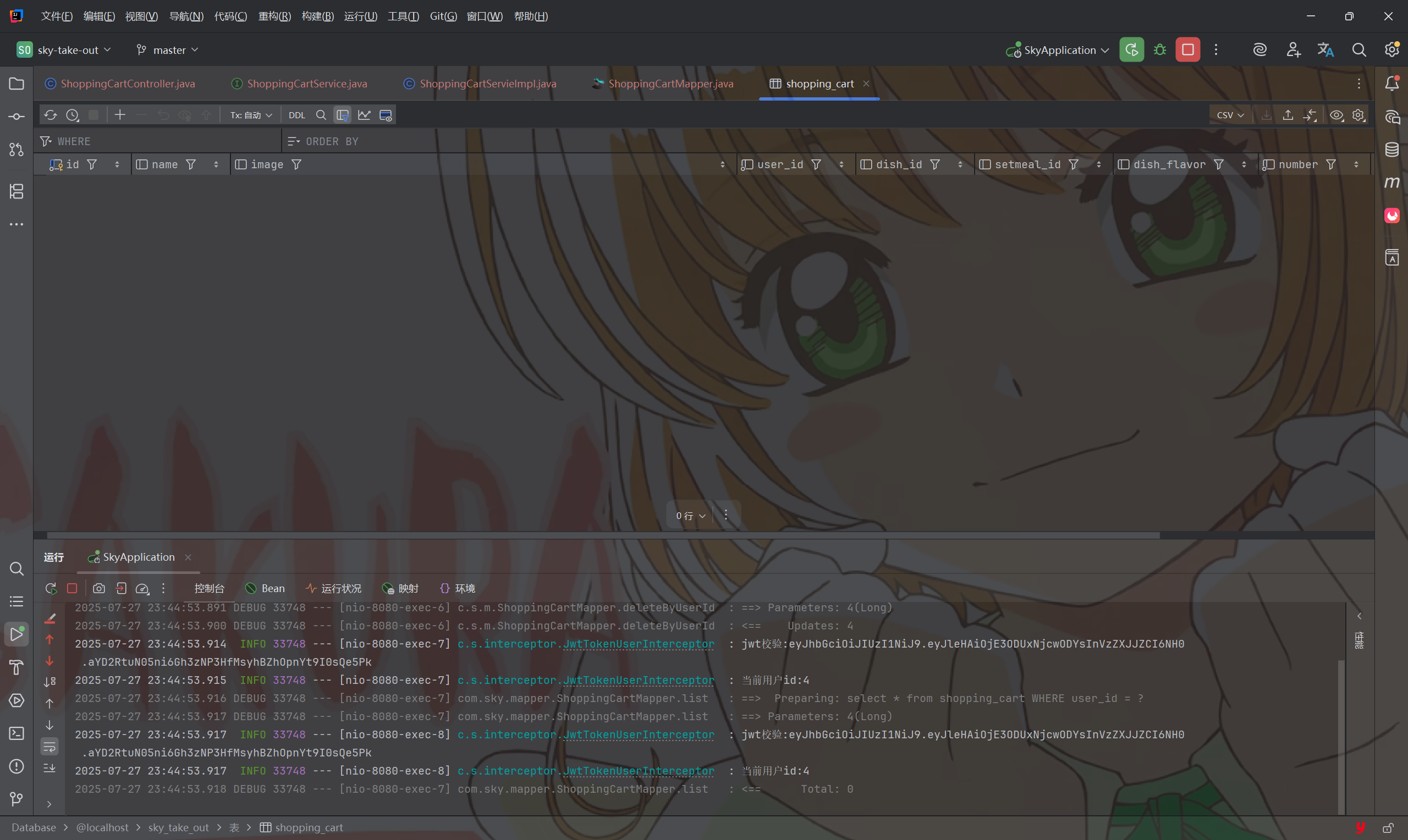
    清空购物车功能测试2